
 ZipFlow Docs
Cherry Studio - Desktop AI Client
In the ZipFlow Console under System Settings -> Chat settings, you can add the following quick option to enable one-click fill to Cherry Studio from the API ...
Chat settings option
In the ZipFlow Console under System Settings -> Chat settings, you can add the following quick option to enable one-click fill to Cherry Studio from the API Keys page:
{ "Cherry Studio": "cherrystudio://providers/api-keys?v=1&data={cherryConfig}" }🍒 Cherry Studio is a powerful desktop AI client designed for professional users, integrating 30+ industry-specific AI assistants to meet various work scenario requirements and significantly improve work efficiency.
- Official Website: https://cherry-ai.com/
- Download: https://cherry-ai.com/download
- Documentation: https://docs.cherry-ai.com
ZipFlow Integration Method
Parameter Configuration
Provider Type: Any type supported by ZipFlow
API Key: Obtain from ZipFlow
API Host: ZipFlow site address
Step-by-Step Guide
-
Copy API key from ZipFlow
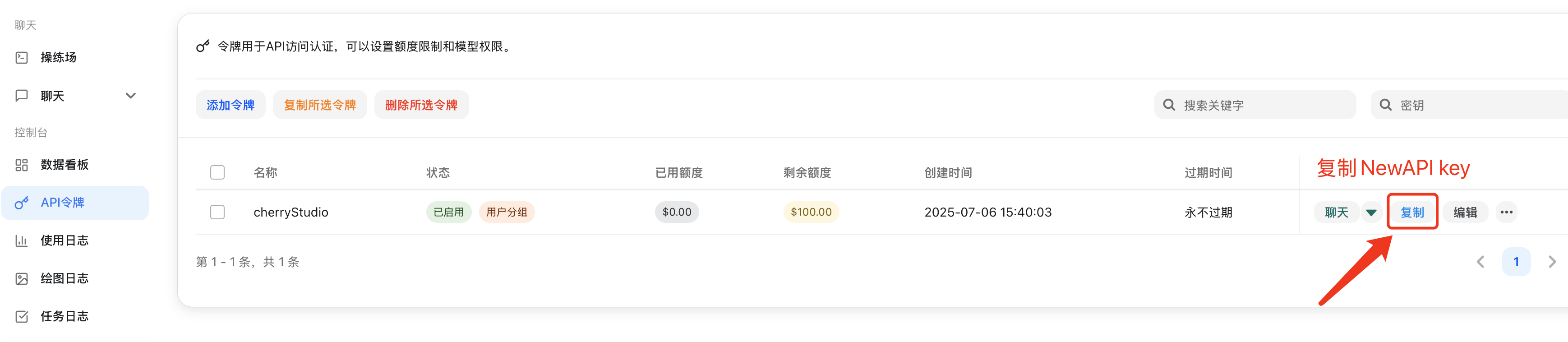
-
Add Provider
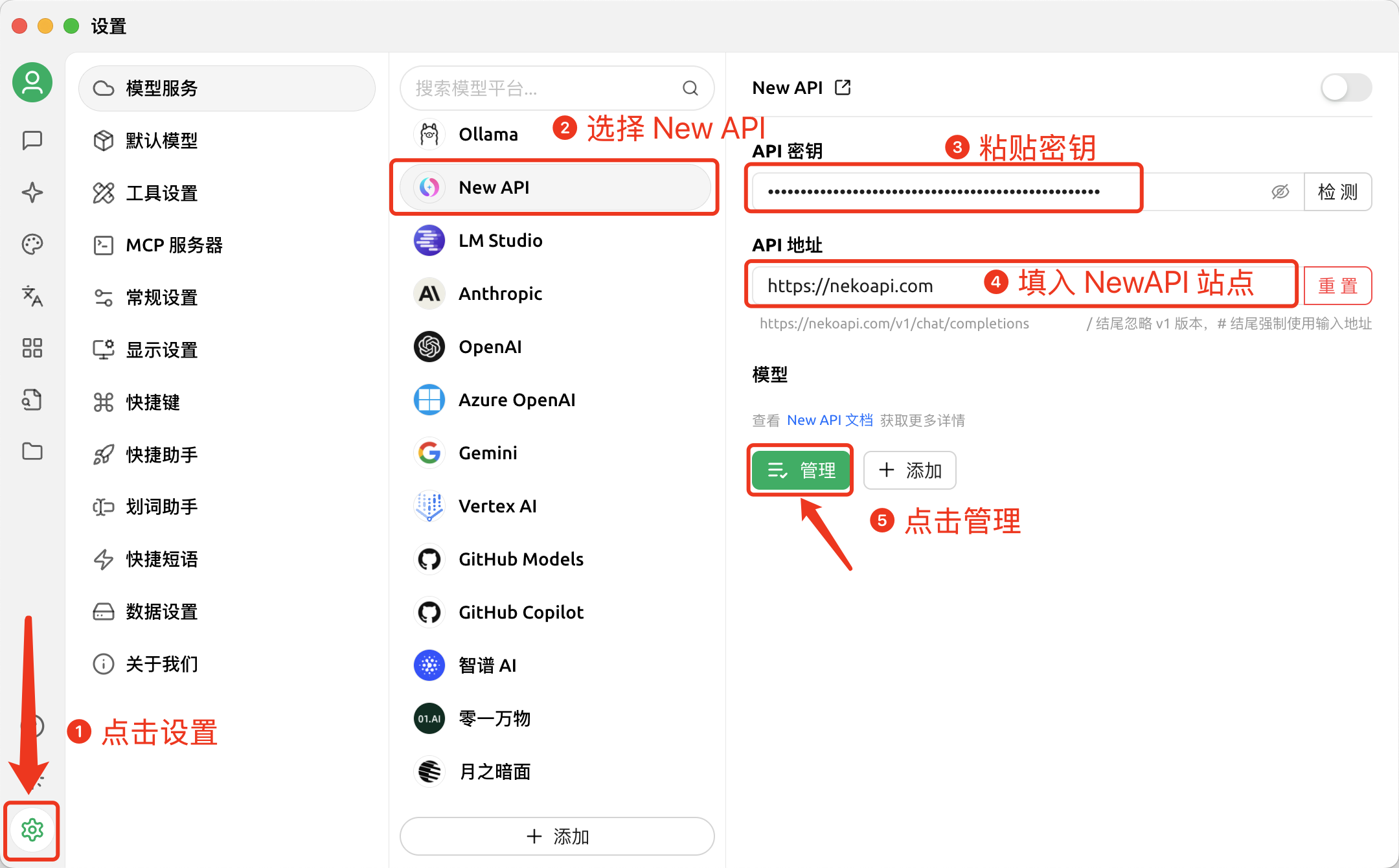
-
Add Models
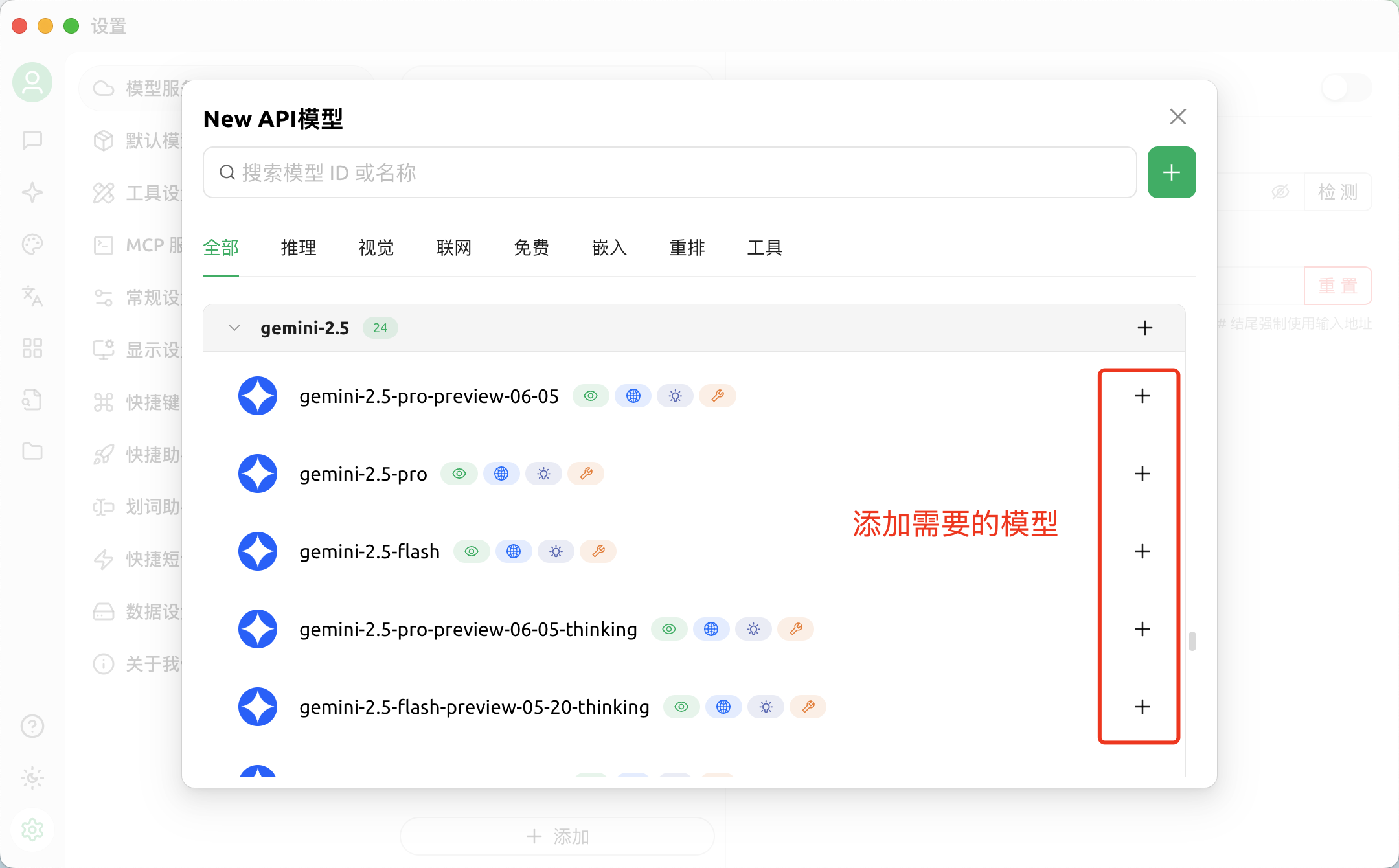
-
Return to Chat Page
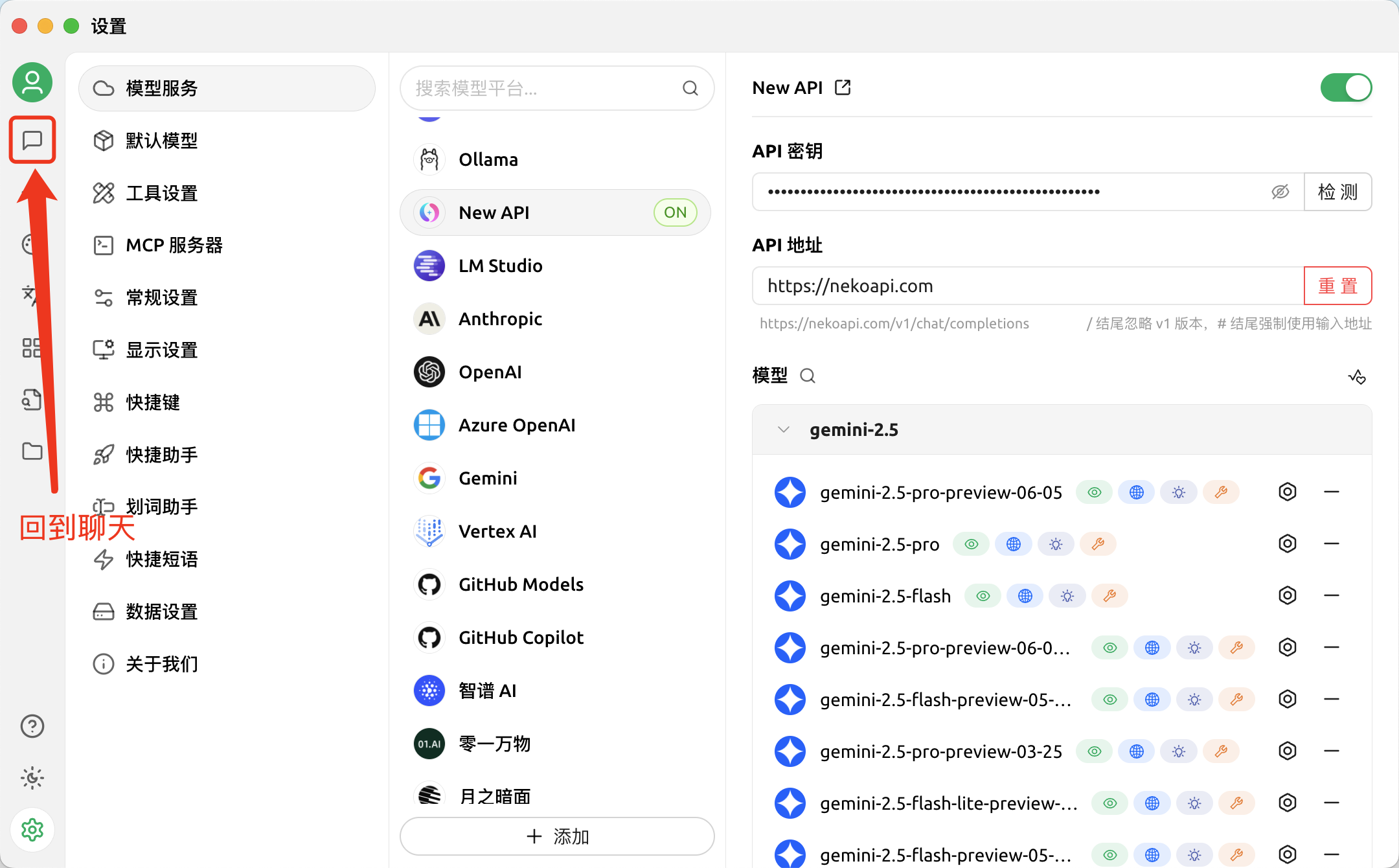
-
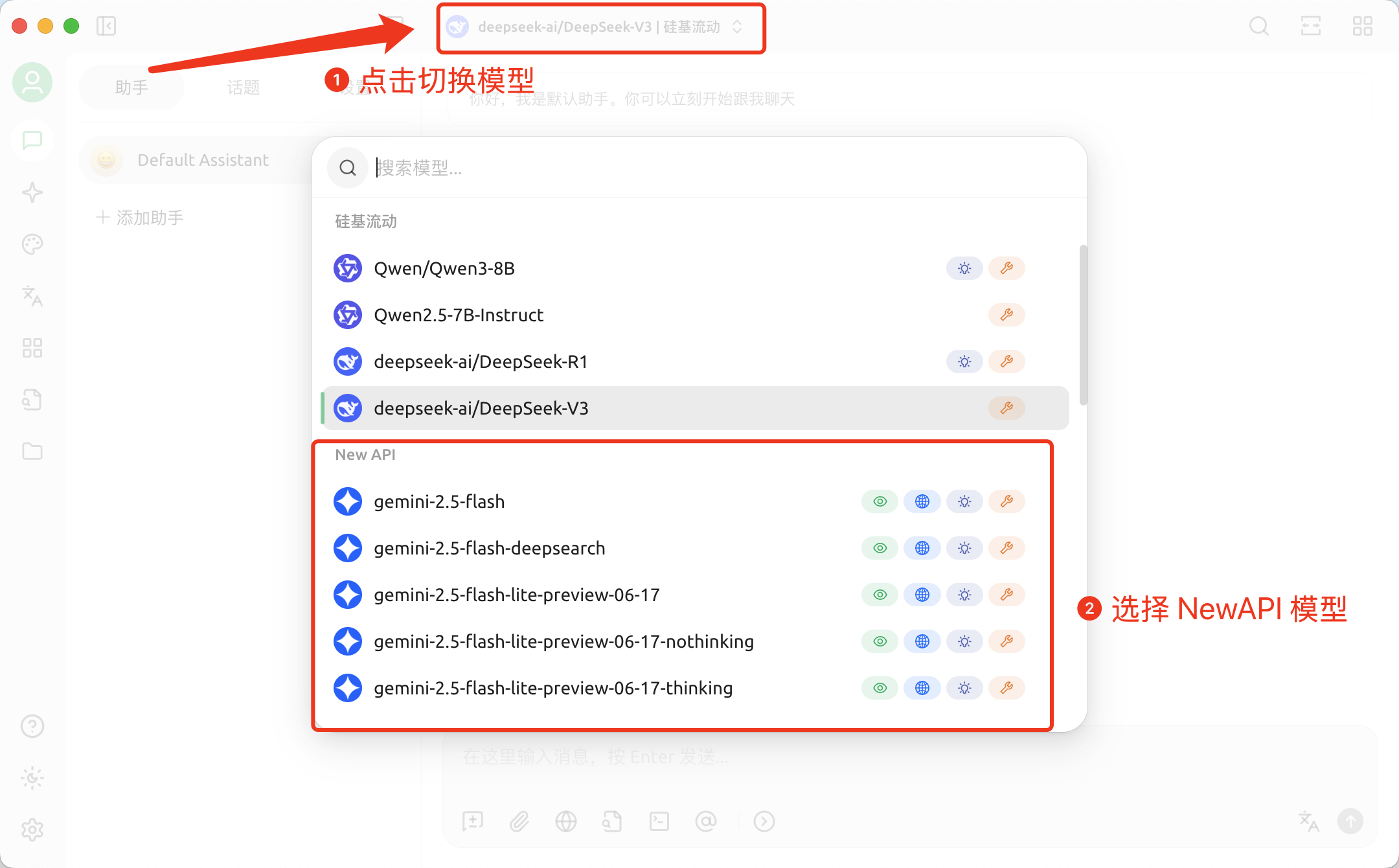
Switch to ZipFlow Model
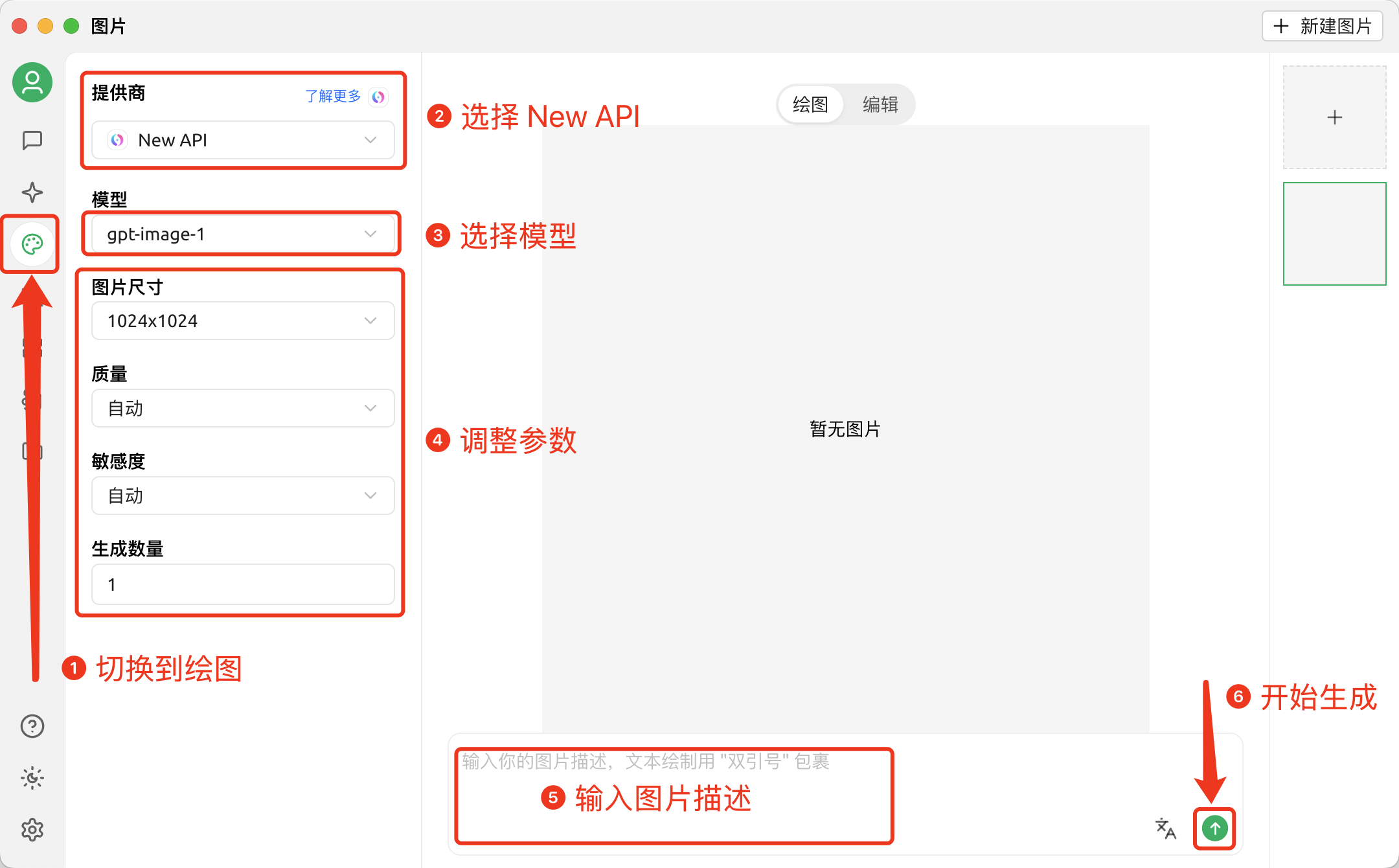
Drawing in Cherry Studio
First, you need to configure an API provider that supports drawing
-
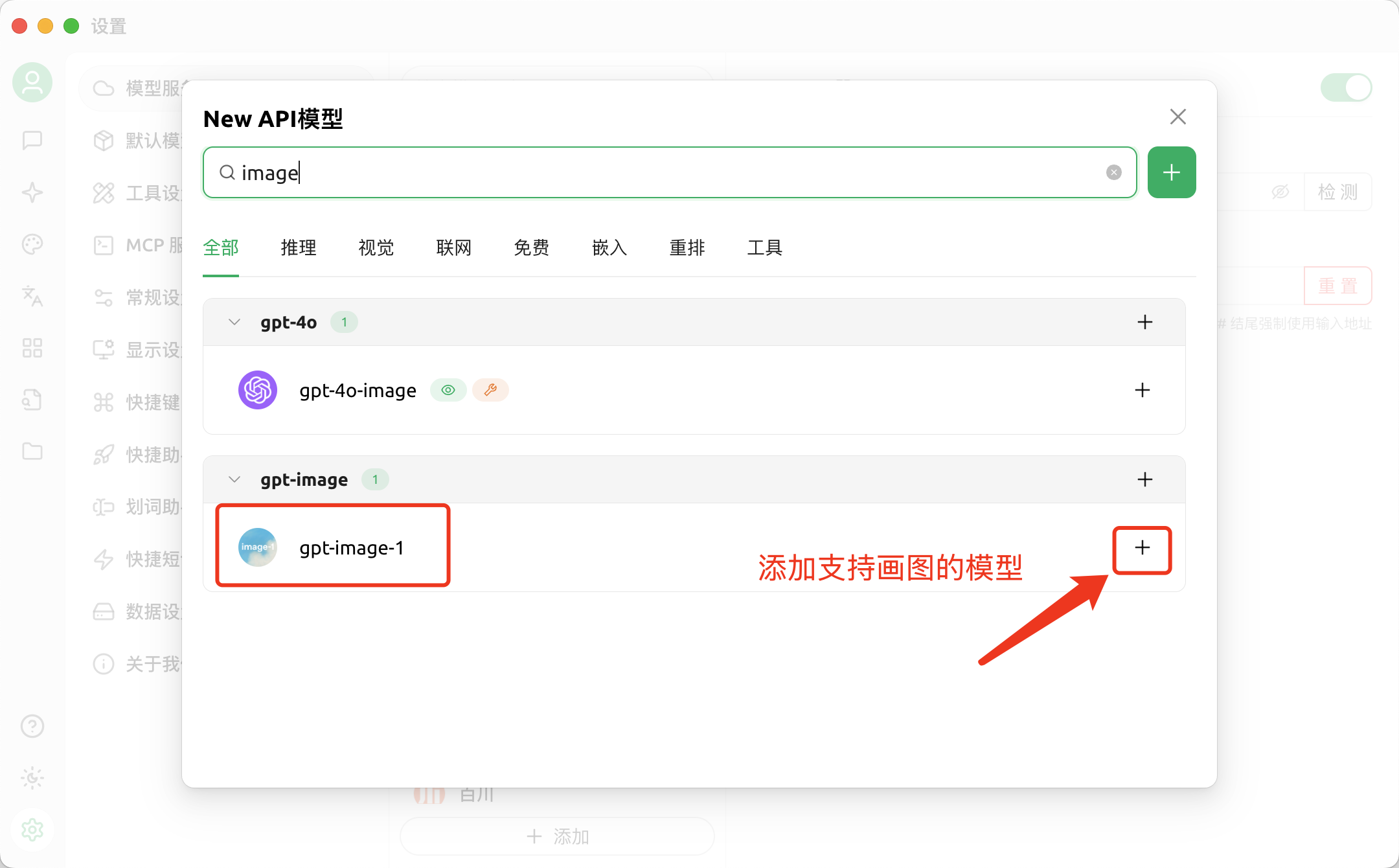
First, add models that support drawing
-
Drawing
Token Usage Query
Retrieve the current Bearer token's quota usage: total granted, used, available, unlimited flag, model limits and expiration time.
Claude Code
Unleash Claude’s raw power directly in your terminal. Search million-line codebases instantly. Turn hours-long workflows into a single command. Your tools. Y...