
 ZipFlow Docs
LangBot - IM Bot Development Platform
LangBot is an open-source IM bot development platform that supports multiple instant messaging platforms such as Lark, DingTalk, WeChat, QQ, Telegram, Discor...
LangBot is an open-source IM bot development platform that supports multiple instant messaging platforms such as Lark, DingTalk, WeChat, QQ, Telegram, Discord, Slack, and more. It integrates with globally leading AI models, supports knowledge bases, Agent, MCP, and various other AI application capabilities, and is perfectly compatible with ZipFlow.
- Official Website: https://langbot.app/en
- Download: https://github.com/langbot-app/LangBot/releases
- Official Documentation: https://docs.langbot.app/en/insight/guide.html
- Open Source Repository: https://github.com/langbot-app/LangBot
Integrating with ZipFlow
LangBot supports integration with locally deployed ZipFlow and third-party ZipFlow services built using ZipFlow.
Usage Instructions
-
Get API key from ZipFlow
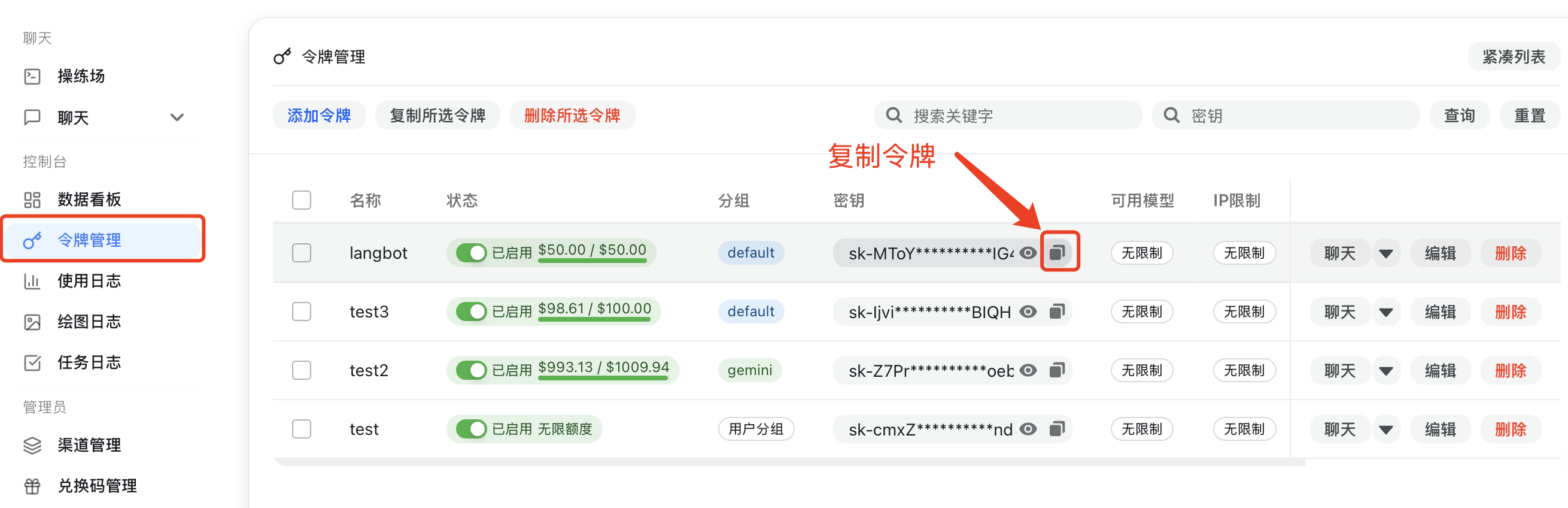
For locally deployed ZipFlow, please configure the API address yourself (refer to Container Network Connection). If using third-party ZipFlow services, you can copy the address from the page. Note that
/v1needs to be added after the address. -
Add a model in LangBot, select ZipFlow as the provider, and fill in the corresponding API key and API address
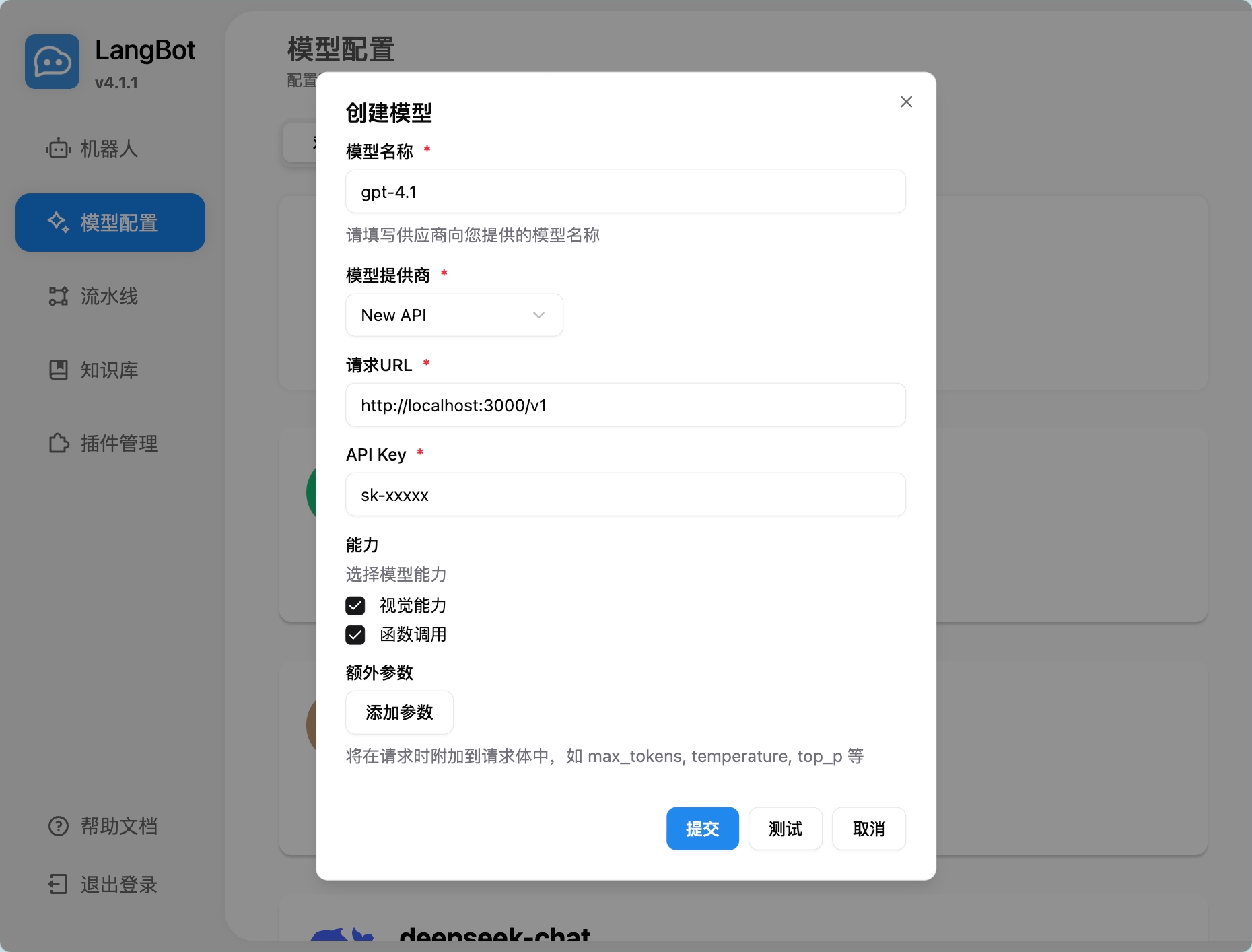
-
Select the model to use in the pipeline
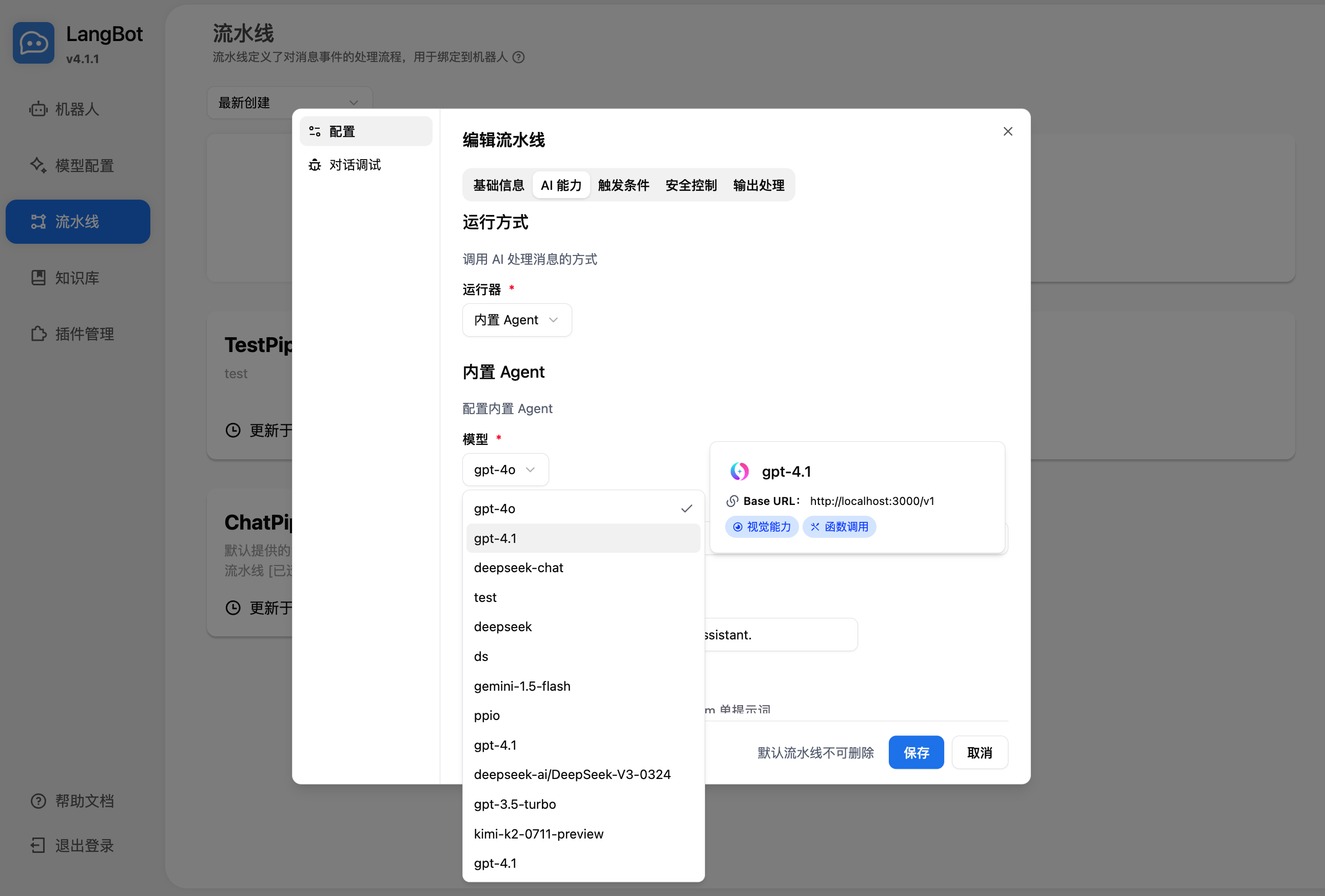
-
Chat in the conversation debug or with the bot bound to the pipeline to use it
For deploying and configuring bots, please refer to Deploy Bots.
Using LangBot Knowledge Base
LangBot supports using ZipFlow's embedding models as vector models for knowledge bases.
-
Add an embedding model in LangBot, select ZipFlow as the provider
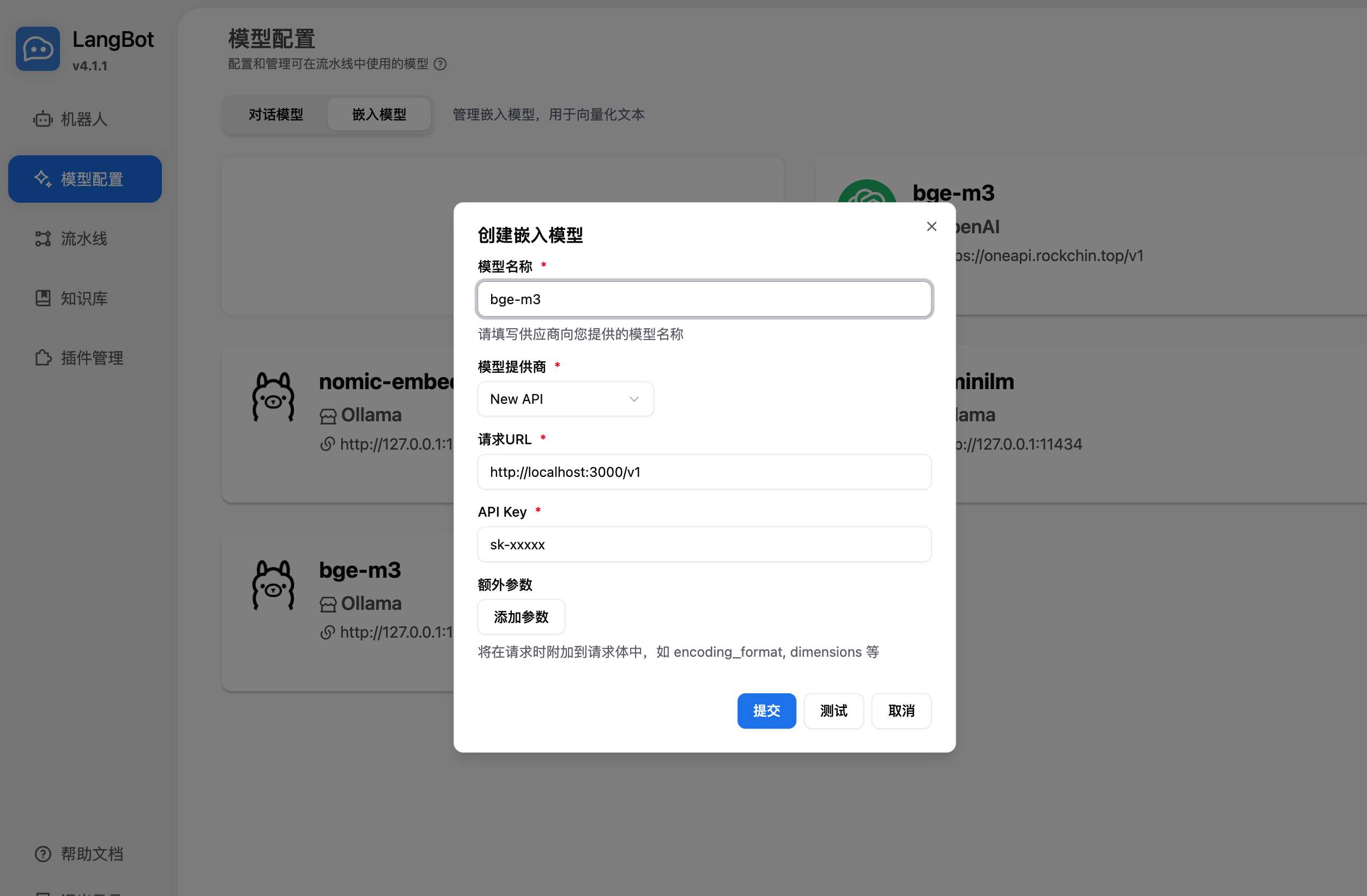
-
Choose the embedding model when creating a new knowledge base
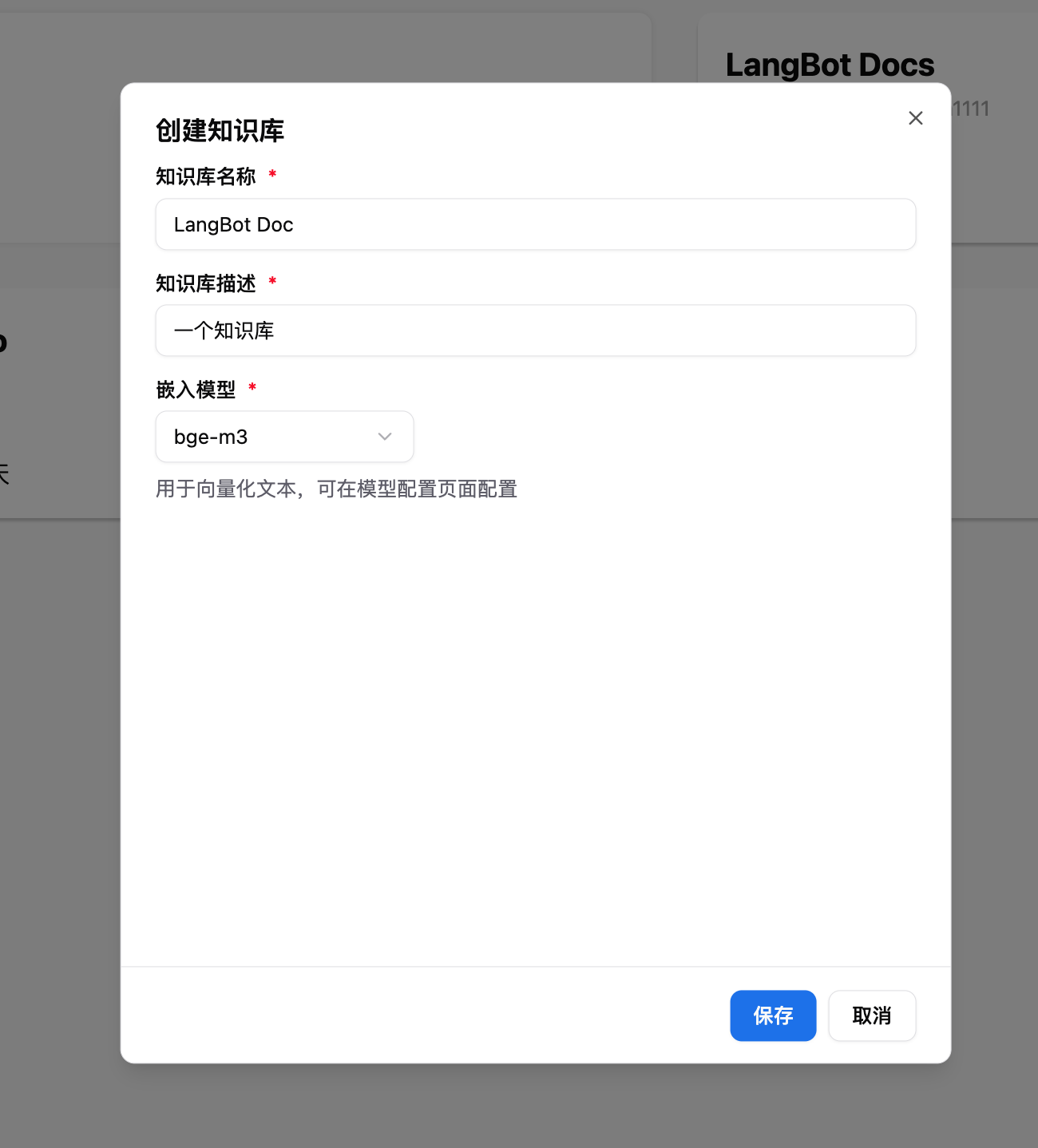
For more usage methods, please refer to LangBot's official documentation: https://docs.langbot.app/en/insight/guide.html
FluentRead - Open Source Translation Plugin
In the ZipFlow Console under System Settings -> Chat settings, you can add the following quick option to enable one-click fill to FluentRead from the API Key...
LunaTranslator - Open Source GalGame Translator
In the ZipFlow dashboard, under System Settings -> Chat Settings, you can add the following shortcut option. This allows you to easily configure LunaTran...